
Please Note: To access Plus, Pro or Expert features, you must have latest version of nQuery installed on your machine and have purchased the Plus, Pro or Expert package.
1) Click Help -> Enable Modules
1) Click Help -> Enable Modules
The Enable Modules dialog box should open.
Your Activation Key will appear as the example below.
2) Click "Activate"
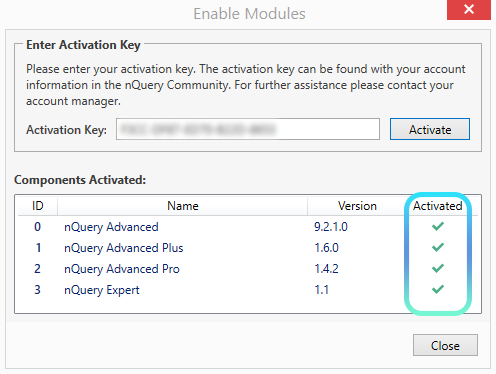
The Components Activated area will refresh after a couple of seconds. Now the respective purchased nQuery Plan should appear activated like in the screen below. Example below the user purchased Expert so has access to all features.
The Components Activated area will refresh after a couple of seconds. Now the respective purchased nQuery Plan should appear activated like in the screen below. Example below the user purchased Expert so has access to all features.
If you have issues you can contact support@statsols.com or login to your online account to create a support ticket for fastest response.